Grok Bot setup guide for sales teams
Updated Oct 28, 2026 · By Tyler Loud
You don't have to build sales AI from scratch. The Grok Bot store already has pre-built sales bots, one per job: one researches accounts, one drafts outreach, one handles the follow-up after a call. This guide covers which bots fit each role, what each one needs connected, and the guardrails to put in place first.
Every bot, description and capability on this page comes from the bot's listing in the Grok Bot store. Each bot name links to its public store page, so you can read the listing yourself before you add it.
Watch: setting up the sales bots (1:31)
Best practices: don't reinvent the wheel
- Start from a store bot. Check the Grok Bot store for a pre-built bot before you write your own prompts or build a custom one.
- One bot per job. Small bots with a narrow role (research, outreach, follow-up) are easier to review than one assistant that does everything.
- Start with bots that need nothing connected. Account Research Desk and Sales Call Coach work from the public web and what you paste in, per their listings.
- Read-only first. Connect read-only access where the vendor offers it before you allow anything that can create or edit records.
- A person approves every send. Keep a human on every email, LinkedIn message and CRM update.
- Bring in RevOps and security early. Salesforce, Gong, Microsoft 365 and Slack (when app approval is on) need an admin before anyone connects.
- Read the listing. Check who built the bot and what it says it can do before you add it.
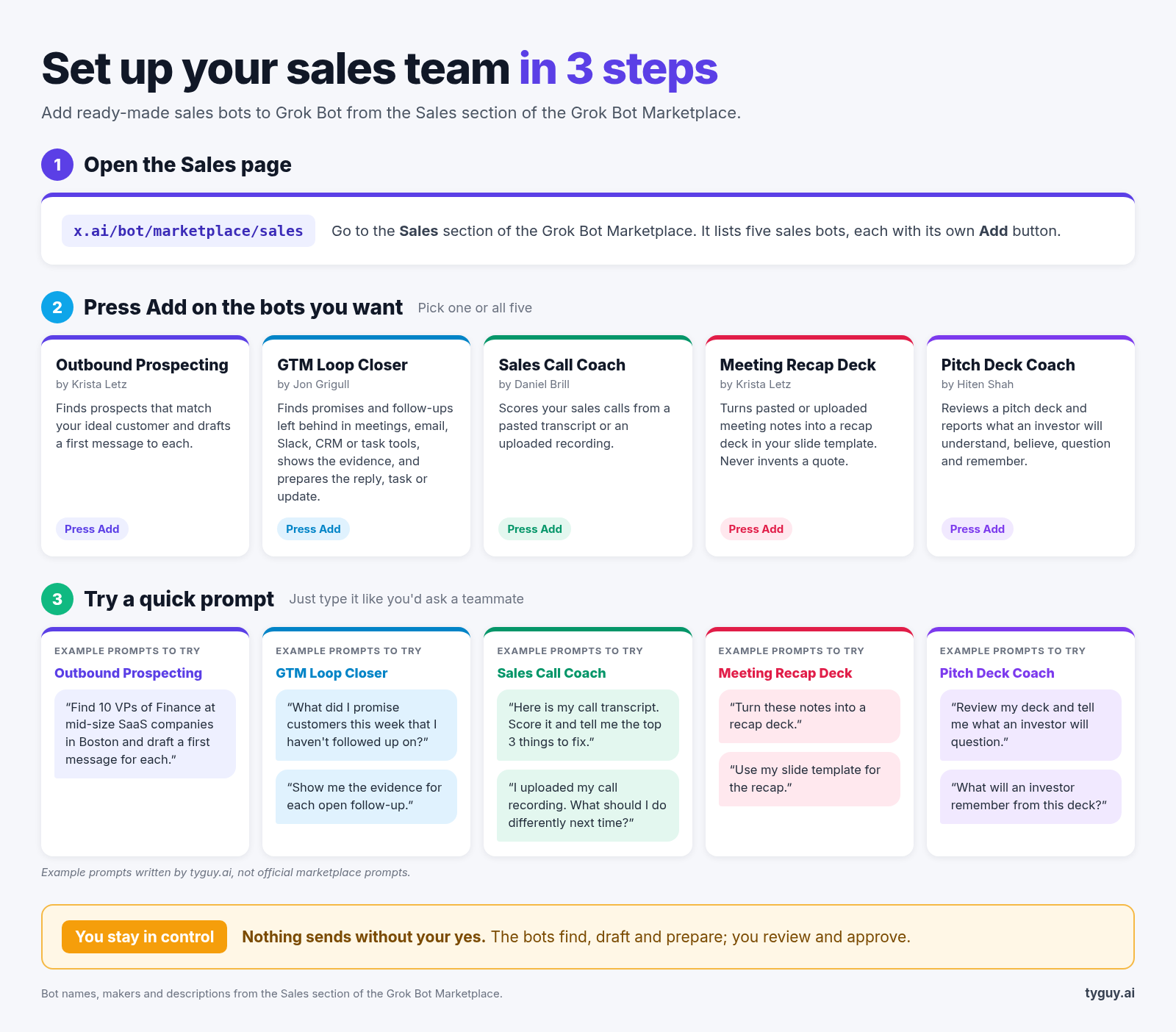
Quick start graphic
The 11 store bots in this guide
- Account Research Desk · Before the call
- Account Research Specialist · Before the call
- Customer Call Coach & Assistant · Before the call
- Sales Outbound · Prospecting
- Prospecting Plan Builder · Prospecting
- Call Follow-Ups · After the call
- Sales Call Coach · After the call
- Deal Desk Coordinator · After the call
- Company Docs Q&A · Team knowledge
- Pipeline Analyst · Manager
- CRM Operations Manager · RevOps
A rep's week
Before the call
- Account Research Desk researches the companies you sell to and writes your pre-call brief and account plan. It uses the public web and notes you paste in, never sends without you, and needs no CRM.
- Account Research Specialist ranks accounts before you reach out. It pulls Salesforce data and live signals, scores each account on fit and warmth, and builds a research pack per account that you can share. It needs Salesforce.
- Customer Call Coach & Assistant briefs you before customer calls and coaches you after, based on how you did.
Prospecting
- Sales Outbound researches accounts overnight, scores contacts by intent, drafts emails and LinkedIn messages in your voice, and leaves a review list for you to approve.
- Prospecting Plan Builder builds your list of work for the week. It adds contacts, fills in email and mobile numbers, and writes a tracker that's ready to work.
After the call
- Call Follow-Ups turns each recorded call into a follow-up email in your voice, a next-steps note and the CRM updates, including your team's qualification fields. It watches Gong and Granola for new calls. Nothing sends or saves until you say yes.
- Sales Call Coach scores your sales calls and tells you what to fix before the next one. You paste a transcript or upload a recording, so no call recorder needs to be connected.
- Deal Desk Coordinator drafts internal deal notes from past emails, Salesforce and calls, and submits them in Salesforce once you approve.
Team knowledge
- Company Docs Q&A answers product and how-to questions. It checks live docs first, then other connected knowledge sources, and always shows its sources. It's built for internal use.
Which bots for which role
| Role | Start with | Add next | Why |
|---|---|---|---|
| AE (account executive) | Account Research Desk, Sales Call Coach | Call Follow-Ups, once Gong or Granola is connected | Per the store, the first two need no CRM or call recorder, so an AE can try them alone. |
| SDR (sales development rep) | Sales Outbound | Prospecting Plan Builder, to set the weekly list | Every draft still goes through the SDR's review list. |
| Manager | Sales Call Coach, for coaching | Pipeline Analyst | Per the store, Pipeline Analyst reviews Salesforce and spreadsheets, flags stalled deals and forecast ("commit") risk, and posts a Monday scoreboard. |
| RevOps (revenue operations) | CRM Operations Manager | Own all the connections in What you need to connect | Per the store, CRM Operations Manager keeps CRM and org-chart records tidy before and after meetings. RevOps should also decide which bots may change records. |
AE checklist
- Add Account Research Desk and paste in notes for one upcoming call.
- Read the brief it writes before you send or share anything.
- Paste one call transcript (or upload a recording) into Sales Call Coach.
- Ask RevOps to connect Gong or Granola, then add Call Follow-Ups.
- Approve or edit each follow-up email and CRM update yourself.
What you need to connect
Some bots need nothing. They work from the public web and whatever you paste in. Others plug into your CRM, your call recorder or your email. The vendor-side notes below come from each vendor's own docs, as tracked on this site for Claude and ChatGPT. Grok Bot's own connection steps may differ. These are the parts most likely to need an admin.
- Nothing to connect (per the store): Account Research Desk (public web and pasted notes) and Sales Call Coach (pasted transcript or uploaded recording).
- Salesforce: used by Account Research Specialist, Deal Desk Coordinator and Pipeline Analyst. Salesforce's hosted MCP servers need Enterprise Edition or higher. An admin has to turn a server on and create an "External Client App." The record tools follow your existing field-level security and sharing rules. Salesforce tracker entry.
- Gong: used by Call Follow-Ups. A Gong tech admin has to turn on the MCP integration. Gong's connection is read-only. Gong tracker entry.
- Granola: used by Call Follow-Ups. On Granola Enterprise, the connection is off by default and admins choose what it can access. On other plans, each person connects for themselves. Granola tracker entry.
- Email: Sales Outbound and Call Follow-Ups draft emails. On Gmail, see the Gmail tracker entry. On Microsoft 365, a tenant admin has to approve it. See the Microsoft 365 tracker entry.
- Slack: if your workspace requires app approval, a Slack admin has to approve the MCP integration first. Slack tracker entry.
- LinkedIn: Sales Outbound drafts LinkedIn messages. We found no official LinkedIn Sales Navigator connector. LinkedIn Sales Navigator tracker entry.
Before you connect any tool, check what it's allowed to do. A read-only connection, like Gong's, is lower risk than one that can create and edit CRM records.
Guardrails
- Drafts only. Pick bots whose store listings say they draft for review. Call Follow-Ups says nothing sends or saves without your yes. Sales Outbound leaves a review list. Account Research Desk never sends without you.
- A person approves. Keep a human on every email, LinkedIn message and CRM update.
- Least access first. Start with read-only connections where the vendor offers them. Salesforce suggests starting with its read-only server.
- Admin and security sign-off. Salesforce, Gong, Microsoft 365 and Slack (when app approval is on) all need an admin before anyone connects. Bring in RevOps and security early.
- Check who built it. Store listings note that a bot may be built by a third party and may act on your behalf. Read the listing before you add it.
Glossary
- CRM: the system where your team keeps accounts, contacts and deals. Salesforce is one example.
- MCP: Model Context Protocol, a standard way for AI tools to plug into apps like Salesforce, Gong or Slack.
- Read-only: the bot can look at data but can't change it.
- Write access: the bot can create or change records, such as updating a deal in the CRM.
- Admin approval: someone with admin rights on a tool has to switch the connection on or agree to it before anyone can use it.
- Qualification fields: the CRM fields your team uses to judge whether a deal is real and how far along it is.
- Commit risk: the chance that a deal a rep has promised to close this period will slip.
- Third-party bot: a bot built by someone other than Grok Bot.
AI Sales Stack is independent and not affiliated with, endorsed by or sponsored by Grok Bot or xAI. Bot names and descriptions belong to their makers. Spot something out of date? Email hello@ai-salesstack.com.